v1.7.0 - AI Suggestions & Capacity Planning
New:
Dashboard: a new AI Suggestions widget surfaces up to 5 AI-generated suggestions across your portfolio, covering at-risk milestones, budget concerns, team overallocation, and undocumented risk gaps.
Milestones: a Red/Amber/Green status crossing on the Roadmap now triggers a notification by email.
Deliverables: add a priority (low, medium, high, critical) and a category, shown as badges on the calendar, Kanban, and table views.
Deliverables: attach a link, with the source automatically detected and badged (Trello, GitHub, Figma, Slack, Notion, Google Docs, Google Drive, Google Sheets, Jira, Linear, Asana).
Finances: link a transaction to an invoice number, this automatically approves it.
Team: public holidays now sync automatically into scheduling and the Gantt timeline.
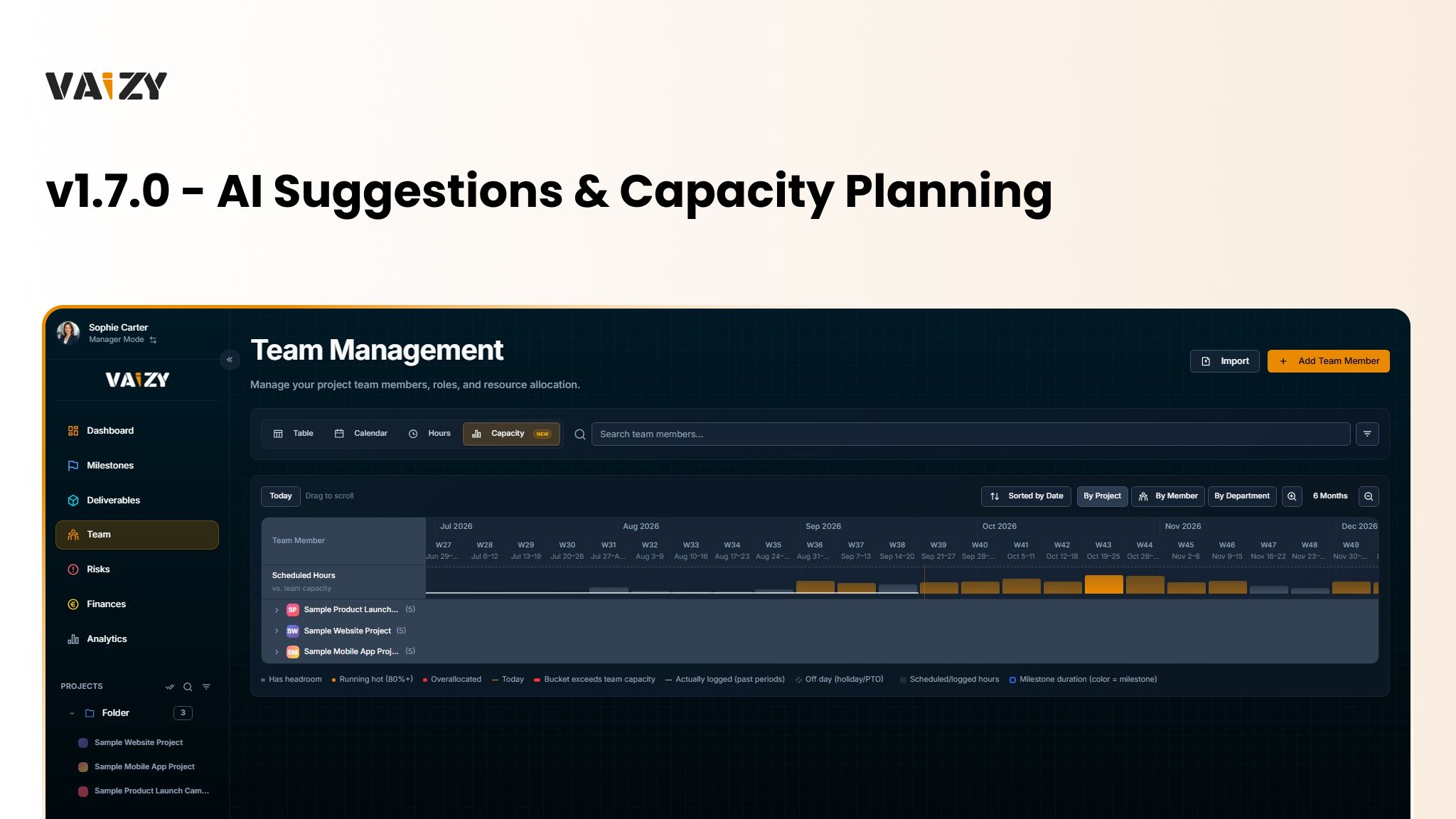
Team: Capacity Planning, a Gantt-style view of team allocation across a project's timeline, is now available on Pro plans and above, with status badges based on real scheduled and logged hours against day-by-day capacity.
Workspace: the sidebar project list gains a Select All toggle, inline search, a status filter with an active-filter count, and a single "+ Add" menu for new projects and folders.
Improved:
Milestones, Risks, Finances, Team, Deliverables: table columns are now visible by default.
UI: primary action buttons no longer collide with toast notifications.
Settings: date picker improvements across the app.
Settings: sidebar expanded/collapsed state and scroll position are now preserved when navigating back from Settings.
Fixed:
Milestones, Risks, Deliverables: right-clicking a Kanban card now opens the context menu instead of the edit form. Kanban views also gained more keyboard shortcuts and right-click-to-rename.