
Changelog

Follow new updates and improvements to Vaizy.

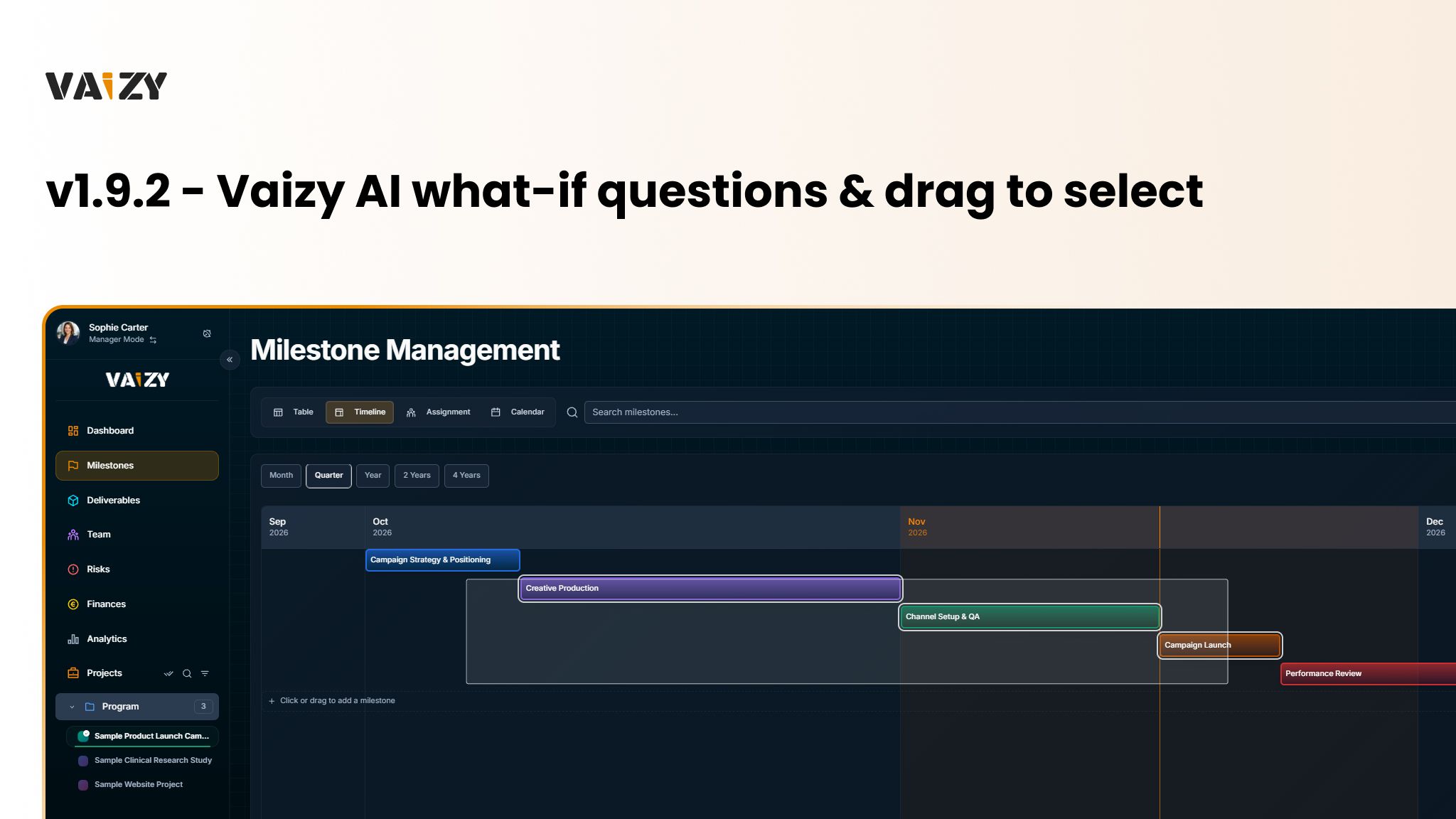
v1.9.2 - Vaizy AI what-if questions & drag to select
New:

  • Vaizy AI: ask what happens if a milestone slips, a project moves, someone joins, costs change or scope is cut, and see the schedule, knock-on and cost impact without anything being saved. It can also rank your projects by which need attention first.

  • Vaizy AI: watch each step while it works, stop it, retry or edit your question, and undo a change it saved. Ask Vaizy buttons appear on Portfolio Health, the EVM widgets and milestone rows.

  • Vaizy AI: workspace owners and admins can choose the model in Settings > General (Pro/Enterprise). Enterprise workspaces can also use their own provider key or OpenAI-compatible endpoint.

  • Projects: Add Project opens on a choice: start from a template, import a file, start blank, or describe the project to Vaizy AI.

  • Table & Kanban Views: drag over rows or cards to select them all, then drop one card in a Kanban column or Risk matrix cell to move the whole selection.

  • Timeline: click Add Milestone or draw on an empty lane to add a milestone, and move or resize several milestones together while seeing how team cost changes.

  • Right-click Menus: right-click a milestone bar, card, table row, calendar entry or capacity row for Ask Vaizy, Edit, Duplicate and Delete.

  • Workspace: archive, unarchive or delete several projects at once in Settings > Projects.

  • Deliverables: in the RACI view, hover or drag over cells and press R, A, C or I to set roles.

  • Team: adding someone to a project puts them on its open milestones within their contract dates.

Improved:

  • Vaizy AI: each person has a monthly credit allowance set by your plan, and the chat tells you when you're close and when it resets.

  • Finances: "Spent" means money already spent everywhere.

  • Forms: Create and Add buttons stay active, and pressing one with a field missing marks it in red and takes you there.

  • Pages: new colours for projects, avatars and milestones, avatars that load straight away, and Kanban boards that scroll sideways when they have many columns.

  • Dashboard: Calendar and chart widgets fill their tile, and widget lists fade at the edge when there's more to scroll.

Fixed:

  • Milestones: assigning several people at once keeps every one of them.

  • Projects: projects created from a template, an import or Vaizy AI stay in the program you started from.
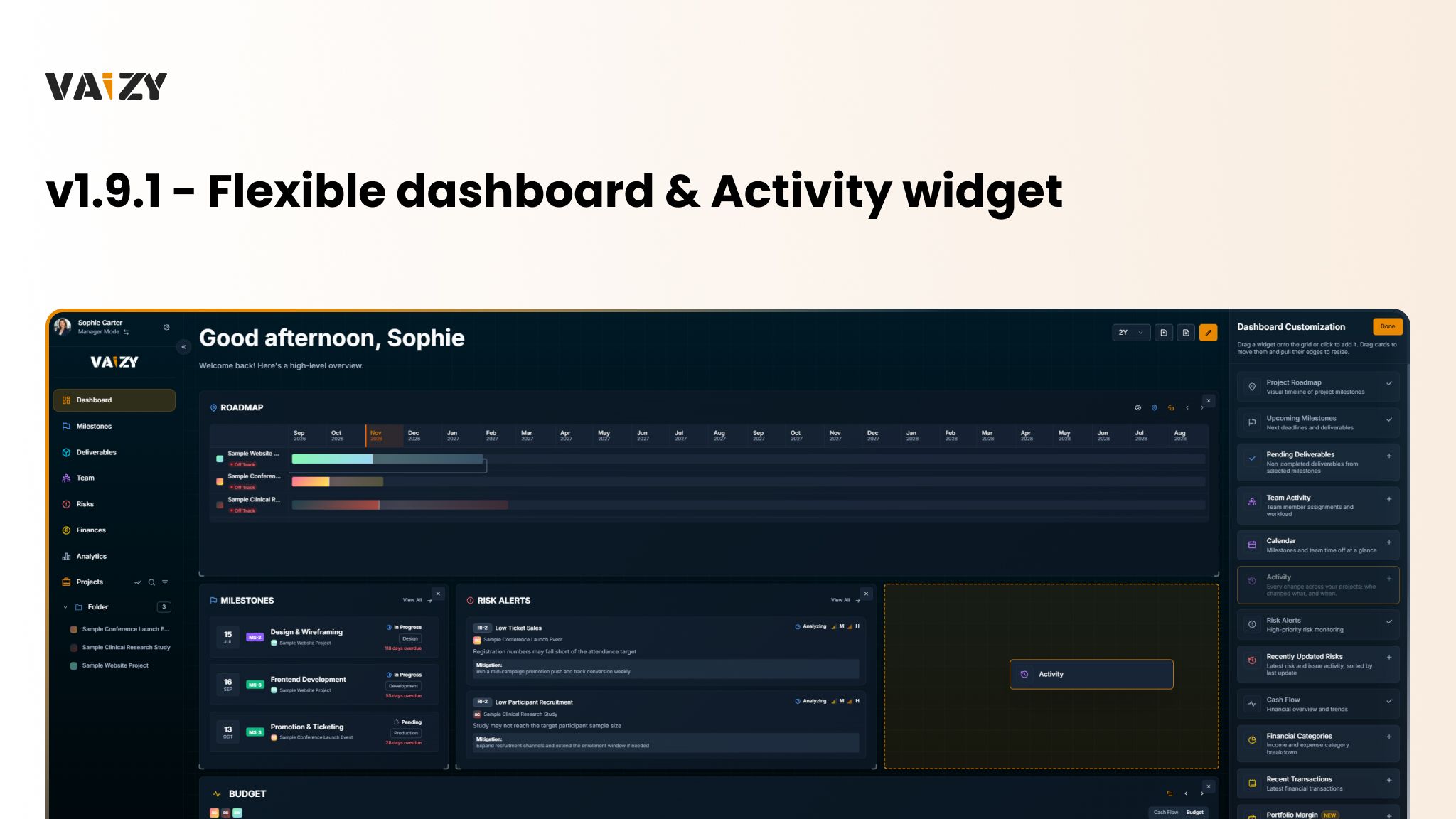
v1.9.1 - Flexible dashboard & Activity widget

New:

  • Dashboard: widgets snap to a grid, resize from any edge and move others out of the way. Add them from a side panel, and keep a separate layout for desktop, tablet and phone.
  • Activity Widget: see the latest changes people made across your dashboard's projects (Pro/Enterprise).
  • Team: allocation badges show each person's load as a percentage (Low, High or Overallocated) on the Team page, in Team Activity and in the assignment matrix.

Improved:

  • Audit Log: each entry shows a one-line summary, only the fields that changed and names instead of IDs, with a new Project column. The tab also loads and searches much faster.
  • Emails: every Vaizy email uses one clean layout that follows your light or dark mode and says why you received it. Billing emails show the invoice number instead of the amount in the subject line.
  • Assignment Matrix: each milestone's time span shows as a bar, and drag-select picks exactly the cells you dragged over.
  • Risks: the Risk matrix opens in compact view and remembers your card density per view.
  • Pages: faster start-up, and easier-to-read labels and secondary text in light mode.
  • Security: profile pictures and workspace images are only visible to people you work with.

Fixed:

  • Assignment Matrix: people whose contract has ended can be unticked.
  • Mobile: wide boards and tables fit the screen, and the Risk matrix is readable on phones.
  • Calendar: right-clicking a deliverable opens edit and delete.

v1.9.0 - MCP, API, in-app notifications & monthly reports

New:

  • MCP: connect Claude, ChatGPT and other AI apps to read your projects, get insights and make changes with exactly your access, approved per app and disconnected any time in Settings > MCP (Pro/Enterprise).

  • Notifications: a bell next to your name at the top of the sidebar collects milestone changes, risks, budget alerts, mentions, due dates and requests, live and in your own language. Turn on desktop notifications from the bell to see them in Windows or macOS too.

  • Workspace: create personal API keys in Settings > API keys and use the REST API at api.vaizy.com/v1 to read and write your project data (Pro/Enterprise).

  • Reports: send a monthly PDF report per project, or one portfolio report across all your projects, and generate a report for any of the last 36 months from the Dashboard.

  • Sharing: people outside your workspace can view and comment on shared projects for free. Editing takes one member seat per person, and Vaizy shows the cost before you invite an editor or approve an "Ask for edit access" request.

    • Workspace: projects shared with you from another workspace appear in the workspace switcher under Shared with you.

  • Projects: write status remarks on a project; the latest ones appear in the Status tab, monthly reports and VaizyAI.

  • Finances: Latest Estimate forecasts your final cost on the Finances page, as a dashboard widget and as a Forecasted column in the projects table.

Improved:

  • Forms: edit forms save as you go and show their save status, and project forms are split into tabs.

  • Finances: every money total follows one currency rule, with single-project numbers in the project's currency and cross-project totals in a shared or your default currency.

  • Imports: Microsoft Project assignments, resource rates, nested phases and task dependencies come across, and re-importing a plan updates it instead of duplicating it.

  • VaizyAI: charts use the app's own colours, avatars and currency axes.

  • Mobile: an Undo button, swipeable Kanban columns, long-press to drag, landscape support and autosaving hours entry.

  • Pages: faster loading, with pages only updating for the data they show.

  • Notifications: emails about milestone status changes, risks and budget alerts are off by default, since the bell shows them in the app. Settings you already changed stay as they are.

  • Workspace: owners and admins see every workspace project in Settings > Projects, and Support has moved into the user menu.

Fixed:

  • Dates: holiday and project dates no longer show a day early for people west of UTC.

Earlier updates